Guide
Best app to cancel subscriptions on iPhone
There is no single best app that can cancel every subscription on your iPhone. Subscriptions billed through Apple can only be cancelled in Apple’s own list, at Settings → your name → Subscriptions. For some plans billed directly to a card, Rocket Money can contact the company for you if you are a Premium member and you link a checking account. If you do not want a bank login, Subry will not cancel the subscription for you. It reminds you before a charge, includes How to cancel help, and shows the monthly and yearly amount you keep after you mark a bill canceled.
Can an app cancel App Store subscriptions for you?
No. Apple bills those plans, so only Apple can stop the next charge when you ask from your own account. Apple’s official guide gives these steps on iPhone:
- Open Settings and tap your name.
- Tap Subscriptions.
- Tap the subscription.
- Tap Cancel Subscription. You might need to scroll down to find the button. If there is no Cancel button, or you see an expiration message in red text, the subscription is already canceled.
If you signed up for a trial and you do not want it to become a paid plan, Apple says to cancel at least 24 hours before the trial ends. The iPhone steps are the same; a walkthrough is in how to cancel a free trial on iPhone before you're charged.
This is also a limit for apps that advertise cancellation. Rocket Money’s help center states that Apple’s security measures prevent it from cancelling recurring charges billed through an Apple account, and it points people back to Settings.
What is the best app if you want someone to cancel for you?
For subscriptions that are not billed through Apple, the best-known iPhone option is Rocket Money. On 16 November 2026 the US App Store showed it at 4.5 from about 408,000 ratings. Its listing says it finds and tracks subscriptions after you link accounts, and helps you cancel them in the app.
Rocket Money’s cancellation article says the Subscription Cancellation Assistant is currently available to Premium members. You can tap Cancel This For Me and its team contacts the provider, or you can view instructions and do it yourself. Most cancellations, it says, are completed within a few business days, and a charge may still go through before the cancellation is confirmed.
There are further limits, from the same help pages:
- If you do not see a Cancel option, Rocket Money is not yet able to cancel that subscription on your behalf.
- Subscriptions billed through Apple, Google Play, Amazon, Roku, or PayPal must be cancelled on those platforms.
- The app relies on at least one checking account being linked through Plaid. If you do not have a supported checking account, you cannot use Rocket Money.
The store page lists several Premium in-app purchases (including $2.99, $4.99, $5.99, $6.99, $8.99, and $9.99) without a single monthly or yearly label, so check the live listing before you pay. Rocket Money is the right pick if you will link a bank, you have card-billed plans you want a concierge to cancel, and you are comfortable paying for Premium. It is the wrong pick if your list is mostly App Store subscriptions, or if you will not hand over a bank login.
How do you cancel subscriptions Apple’s list does not show?
Many recurring charges never appear under Settings → Subscriptions: a gym, a newspaper you joined on a website, a phone or internet plan, or a service billed through PayPal. Apple’s own guide says that if you cannot find a receipt from Apple, you may have bought the subscription from another company, and you should check a bank or card statement and contact that company.
The work is finding those bills, then cancelling them in the place that charges you. A practical checklist is in how to find all your subscriptions on iPhone. Bobby can hold the list if you add each service yourself; on 16 November 2026 the US App Store showed it at 4.7 from about 8,000 ratings, with one-time unlocks rather than a subscription. It does not cancel for you.
What Subry does instead of cancelling for you
Subry is an iPhone subscription tracker. It is free to download, requires iOS 26, and on 16 November 2026 the US App Store still did not have enough ratings to display an overview. The US listing showed Subry Lifetime at $24.99. It does not connect to your bank, and it does not cancel a subscription for you.
What it does is make the cancel decision easier to finish:
- You can start from a screenshot of the iPhone Settings subscriptions page. Subry detects apps, prices, and renewal dates on the iPhone, and flags items with no date. Add website-billed bills by hand.
- A monthly total and a yearly total show what the stack costs, which is often the moment a $12.99 plan looks like roughly $156 a year.
- You can choose “Notify me X days before” at a time of day you pick. If you allow notifications, Subry sends a local reminder a few days before the charge, and another on the morning it charges, so you have time to cancel.
- Each subscription includes How to cancel help. Some bills include a link to that service’s cancel page. You still complete the cancellation in Settings or with the company.
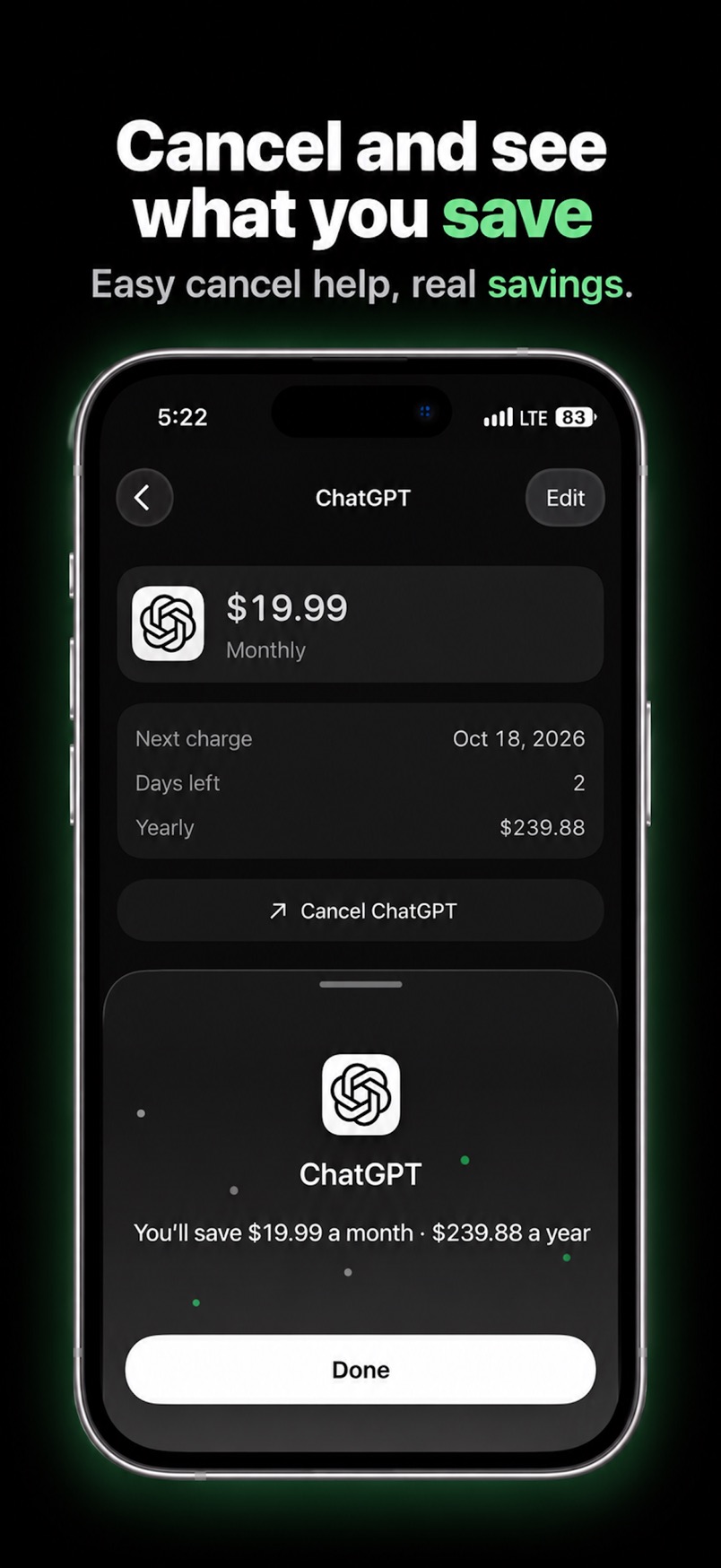
- When you mark a bill canceled, Subry shows the monthly and yearly amount you keep.
For free trials, mark the subscription as a trial and set the same kind of reminder. That does not cancel the trial; it gives you a chance to use Apple’s 24-hour rule in time.
A practical order of work
- Open Settings → your name → Subscriptions and cancel any App Store plan or trial you no longer want. Do trials first if a charge date is close.
- Put the remaining subscriptions — including the ones Settings does not show — into a tracker so you can see the monthly and yearly total. If you will not link a bank, Subry can start from a screenshot of that Settings page.
- Cancel the ones you do not use, in the place that bills you. Use How to cancel help in Subry, or Rocket Money’s Premium assistant if you have linked a bank and the provider is supported.
- Leave reminders on for the plans you keep, so a renewal does not surprise you later. A Home Screen widget in Subry can list upcoming bills; the setup is in how to set bill reminders on iPhone.
If you want a wider look at trackers, including who each app is best for, see best subscription tracker for iPhone. If you want the shortest setup without a bank login, see best subscription tracker for busy people.
Know before you're charged, then cancel in time
Download Subry on the App Store, add your bills from a screenshot or by hand, and get a reminder before the charge. It includes How to cancel help. It does not cancel for you. Free to download. Requires iOS 26.

Frequently asked questions
What is the best app to cancel subscriptions on iPhone?
For subscriptions billed through Apple, there is no third-party app that can cancel them for you. Open Settings, tap your name, tap Subscriptions, then Cancel Subscription, as Apple documents. For some subscriptions billed directly to a card, Rocket Money’s Subscription Cancellation Assistant can contact the provider, but that feature is for Premium members and requires a linked checking account. If you do not want a bank login, Subry will not cancel for you. It reminds you before a charge, includes How to cancel help, and shows what you save after you mark a bill canceled.
Can Rocket Money cancel an App Store subscription?
No. Rocket Money’s help center says Apple’s security measures prevent it from cancelling recurring charges billed through an Apple account. You cancel those in iPhone Settings, or on a Mac in the App Store account page.
Does Subry cancel subscriptions for me?
No. Subry includes How to cancel help on each subscription, and some bills include a link to that service’s cancel page. You still cancel in iPhone Settings or with the company that bills you. After you mark a bill canceled, Subry shows the monthly and yearly amount you keep.
How do I cancel a free trial on iPhone before I'm charged?
Apple says to cancel a trial subscription at least 24 hours before the trial ends. On iPhone, go to Settings, tap your name, tap Subscriptions, open the trial, and tap Cancel Subscription. In Subry, mark the bill as a free trial and choose “Notify me X days before” so you have time to do that.