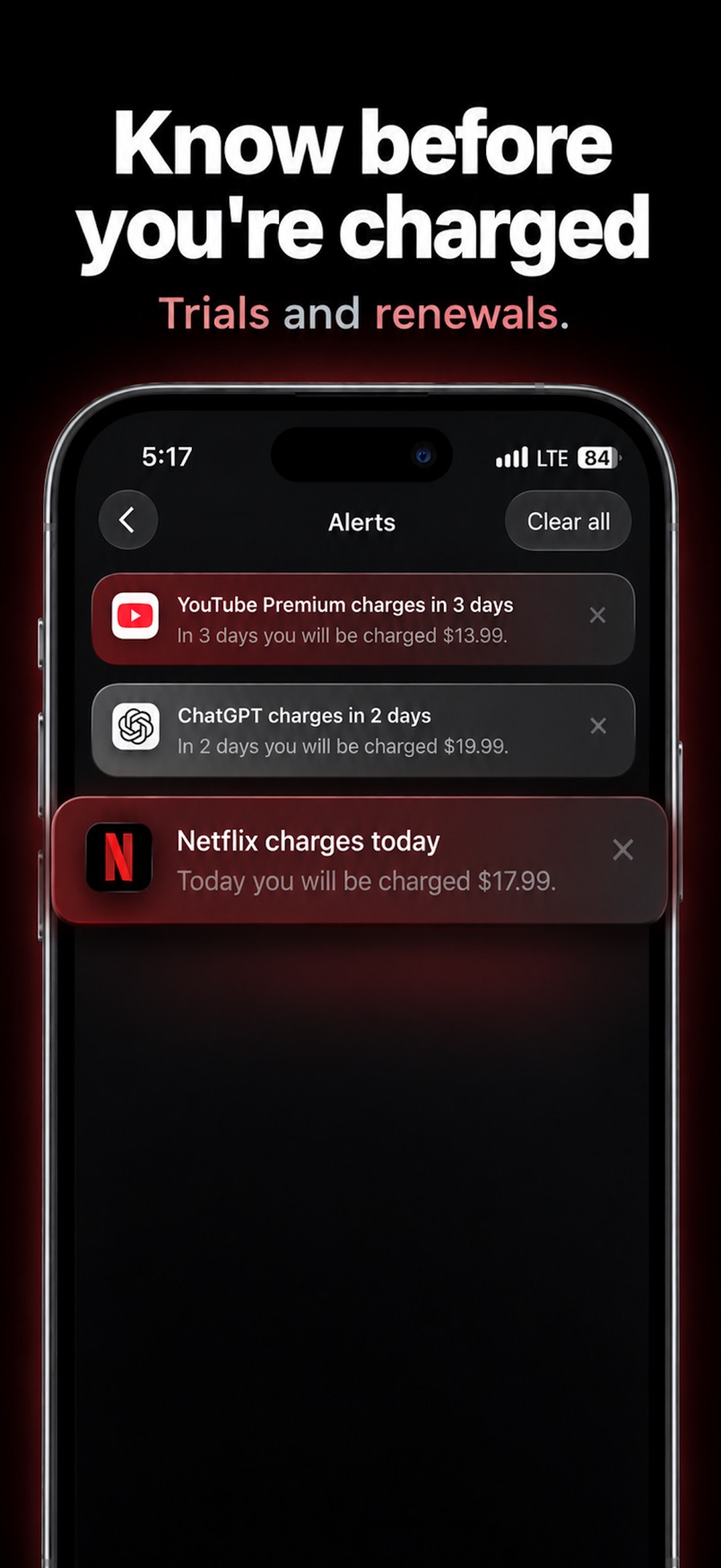
A few days before a bill, and again on the morning it charges. Only if you allow notifications.
iPhone
Know before you're charged.
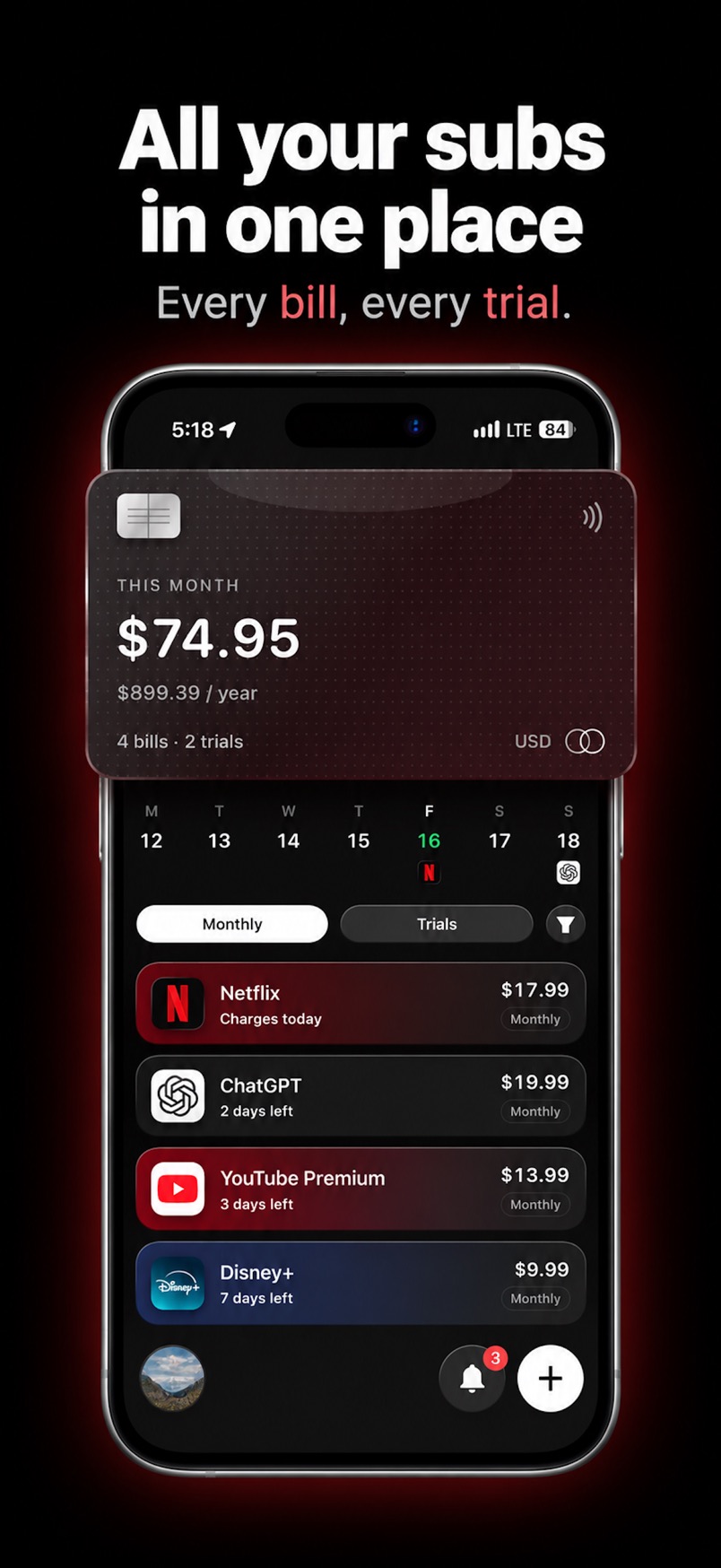
Every bill and every trial, in one list. Subry reminds you before the money leaves. You add the subs. It never logs into a bank.
Free to download. For iPhone.
What you get
Quiet, until a charge is close.
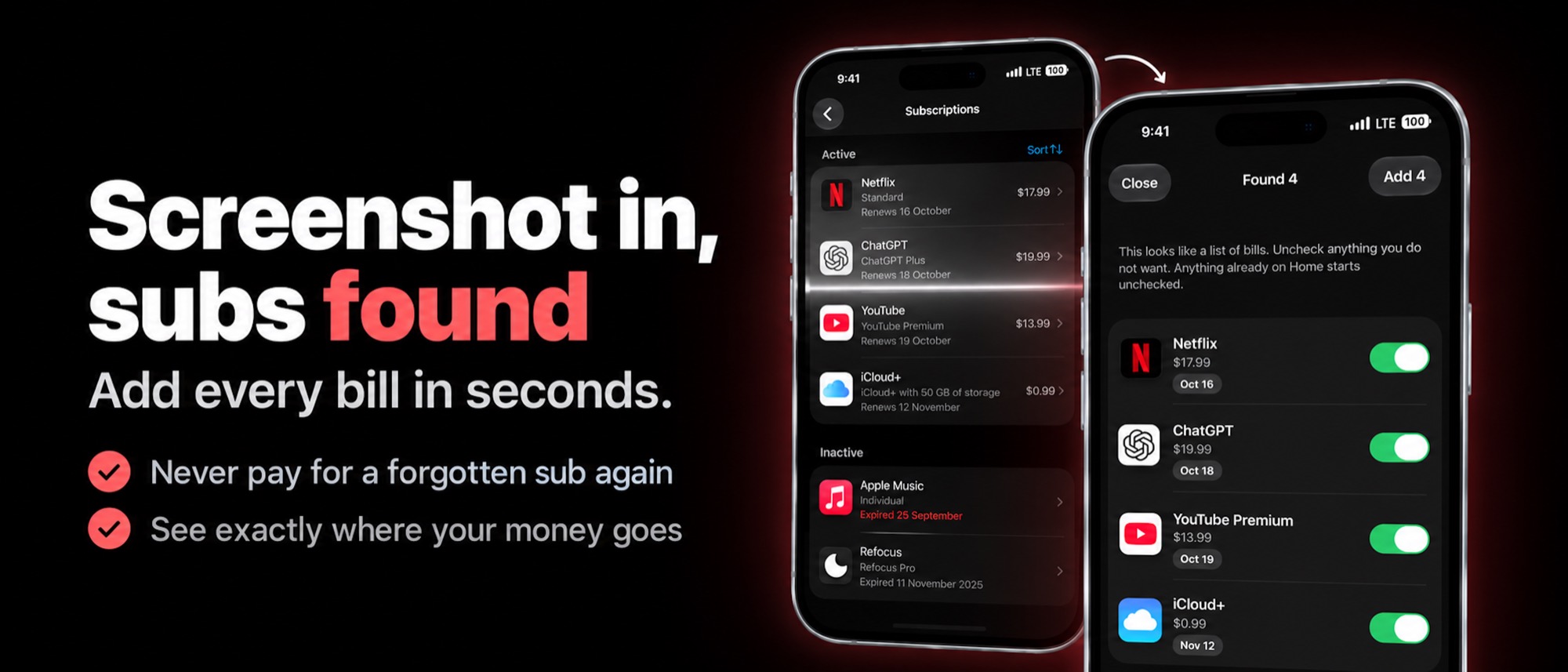
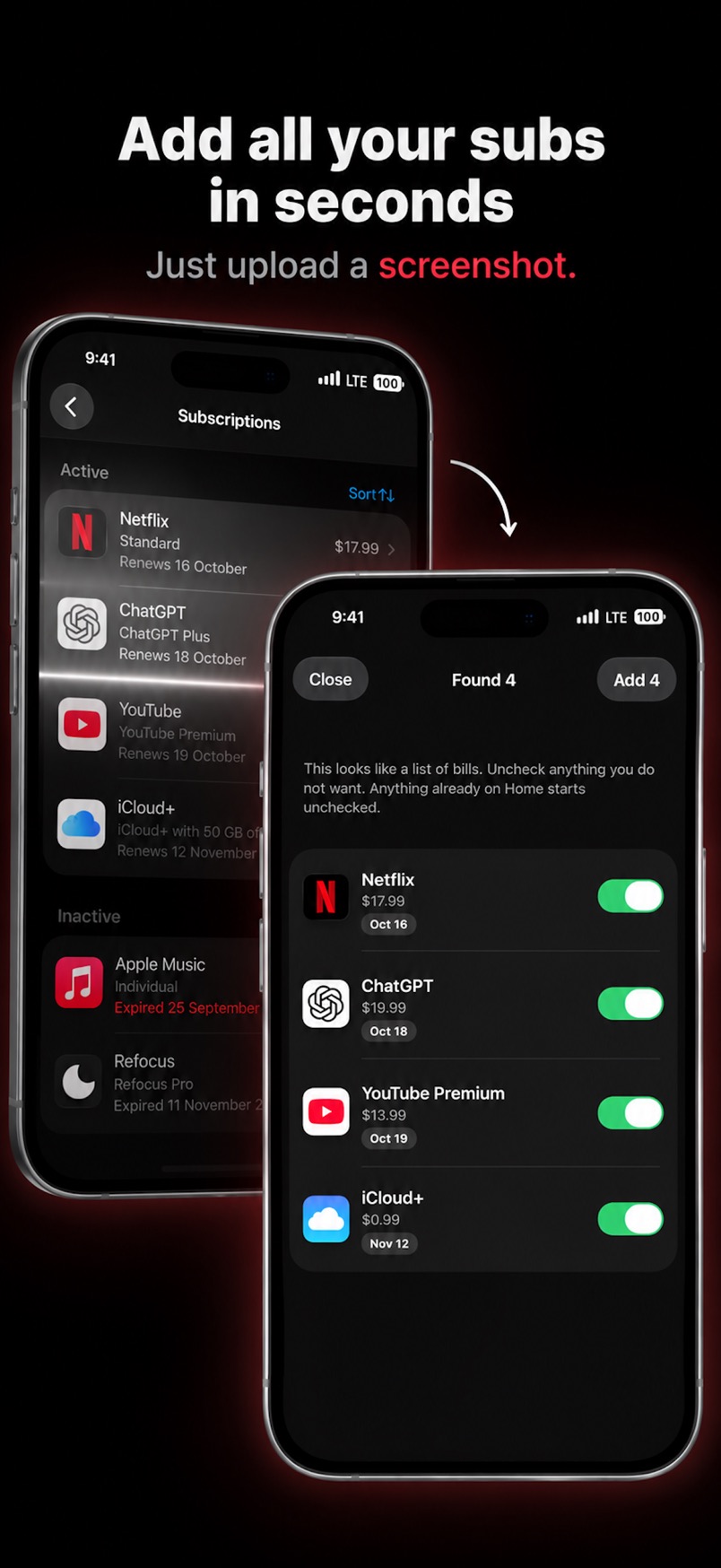
Share a subscriptions screen. Subry reads it on the iPhone and you pick what to keep.
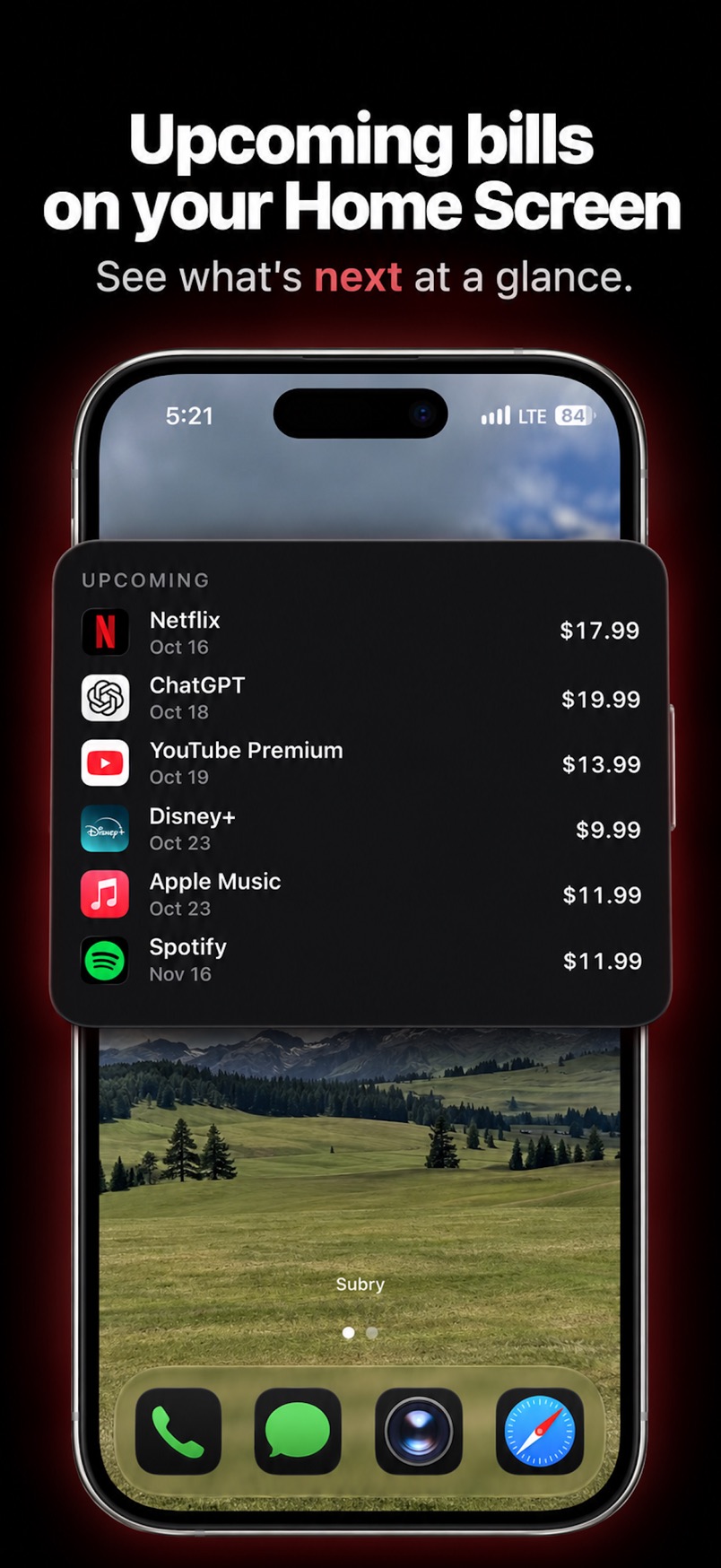
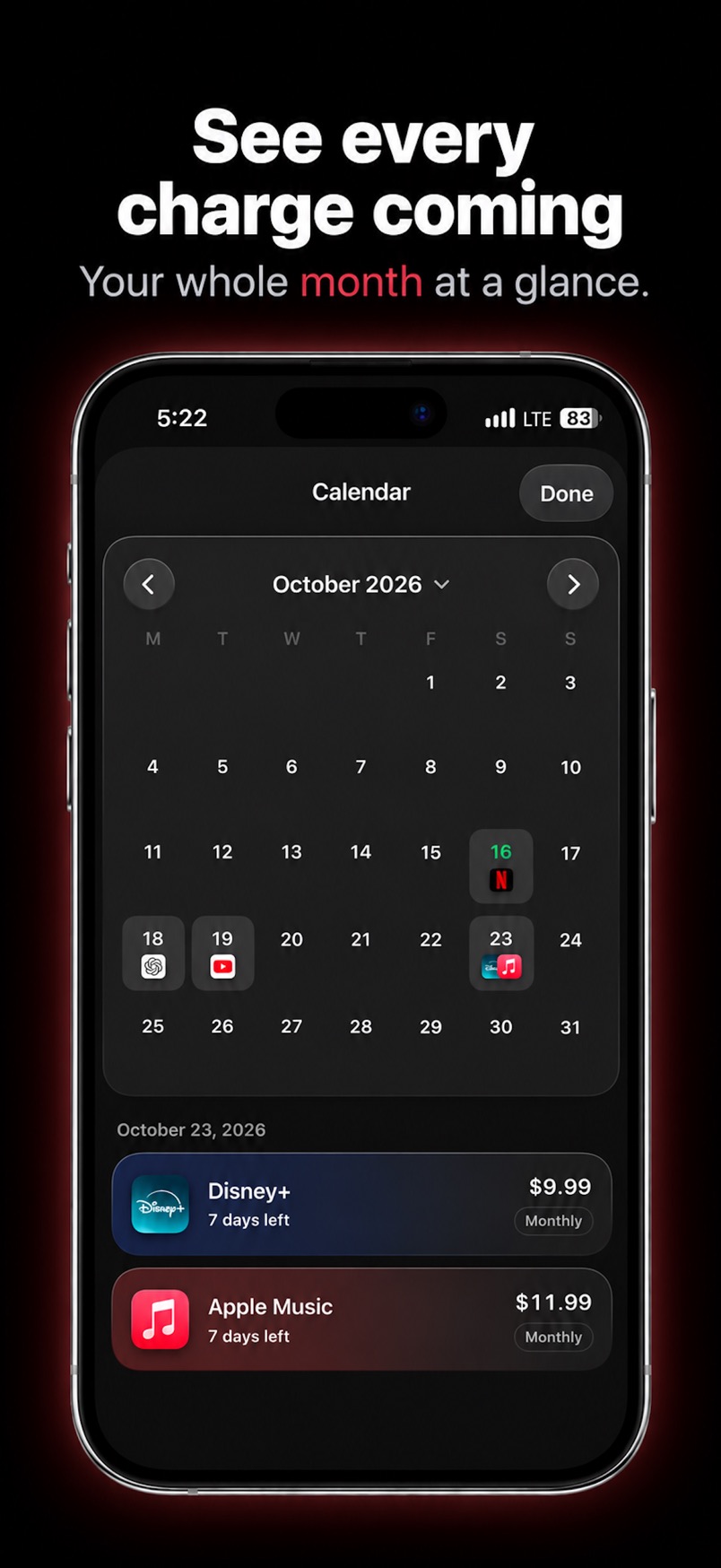
A monthly total, a yearly total, a calendar, and upcoming bills on the Home Screen.
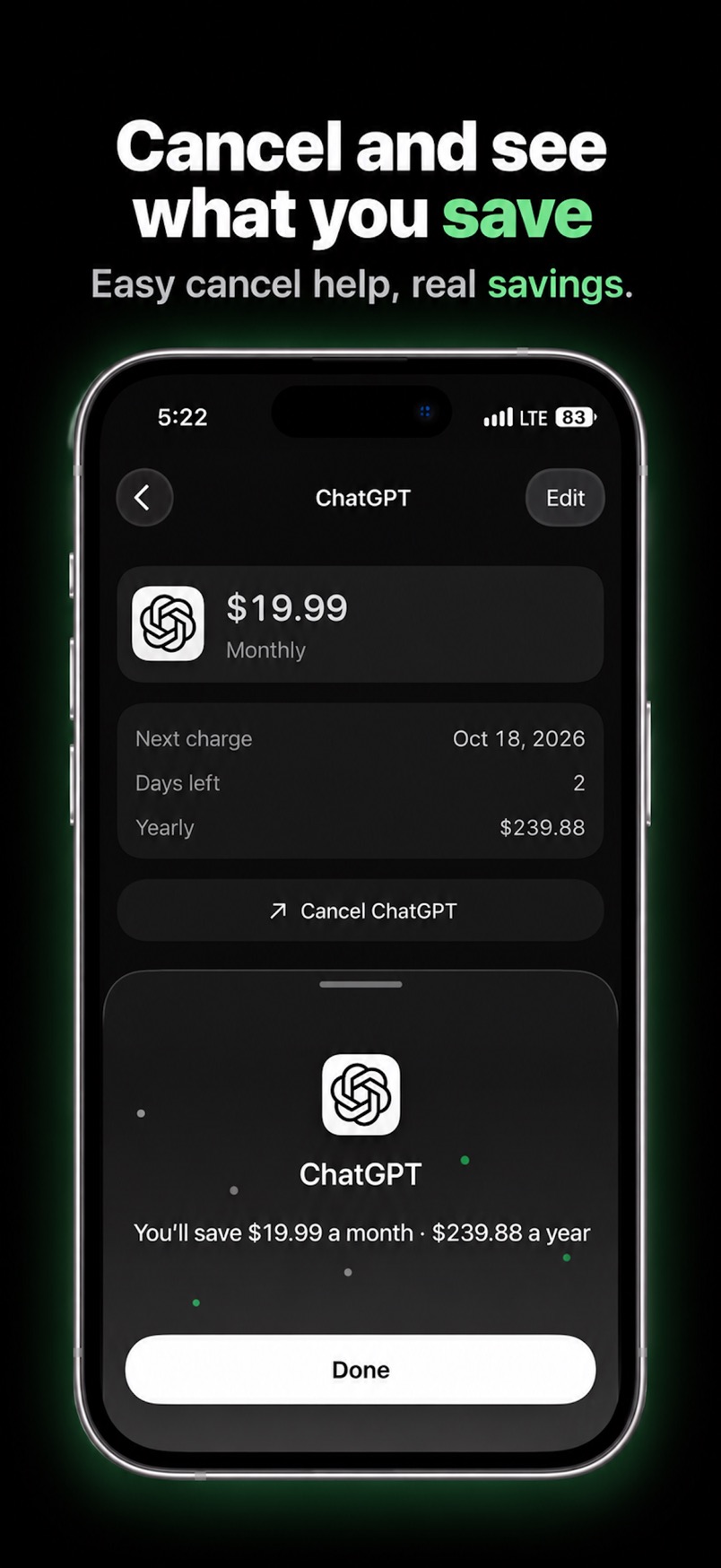
Mark a bill canceled and see the monthly and yearly amount you keep. Subry does not cancel it for you.
Screens
Same black. Same list.
Questions
Before you add a bill.
Will it tell me before Netflix charges?
Yes, if you allow notifications. Subry sends a local reminder a few days before the date you set, and another on the morning of the charge.
Does it need a bank password?
No. You add each bill yourself, by typing it or from a screenshot. Subry does not log into banks and does not read your card number.
Can bills be in different currencies?
Yes. A bill can be in any currency. Subry converts it into the home currency you pick so the monthly and yearly totals still add up.
Does Subry cancel the subscription?
No. It shows what you pay and when it renews. You cancel the service yourself. Some bills include a link to that service’s cancel page.