Guide
How to set bill reminders on iPhone
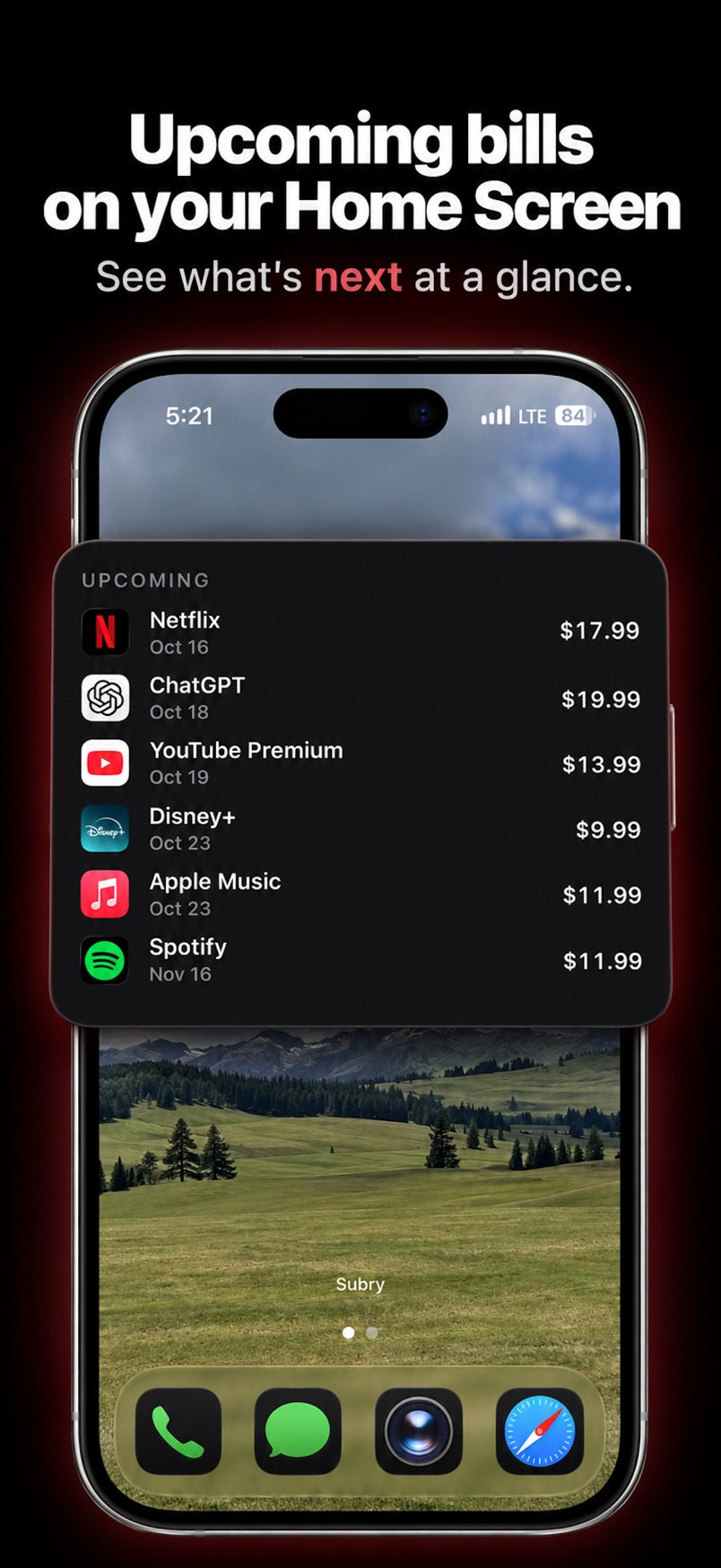
You can set a bill reminder on iPhone in the built-in Reminders app: add a reminder, turn on a date and time, then tap Repeat and choose a frequency such as monthly. For subscriptions and other recurring bills, a tracker like Subry can remind you a few days before a charge and again on the morning it charges, and show upcoming bills on a Home Screen widget. Neither Apple Reminders nor Subry pays the bill for you.
How do I set a repeating reminder in Apple Reminders?
Apple documents these steps in Use Reminders on your iPhone, iPad, or iPod touch and in Add details in Reminders on iPhone:
- Open the Reminders app.
- Tap + New Reminder, then type the bill name — for example, “Rent” or “Phone bill.”
- Set a due date and time. Apple’s support page says to tap the Date and Time button and choose Today, Tomorrow, This Weekend, Next Week, or Custom.
- To make it repeat, turn on Date or Time, tap Repeat, then choose the frequency, such as monthly.
- To get notice ahead of the due date, tap Early Reminder and choose when you want to be reminded — Apple’s examples include “2 days before.”
If you set a due date but no time, Apple says the notification appears at 9:00 a.m. by default. You can change that time in Settings → Apps → Reminders, under All-Day Reminders.
You can also create a reminder from the Calendar app. In Calendar, tap the + button, tap Reminder, enter a title, then set Date, Time, and Repeat. Scheduled reminders can appear in Calendar alongside events if you turn on Scheduled Reminders in the Calendars list.
Reminders is the right tool when you have a few due dates and you just want an alert. It will not add up what those bills cost per month or per year, and it will not import the list from iPhone Settings for you.
How do I get reminders for subscriptions and recurring bills in Subry?
Subry is an iPhone subscription tracker and bill reminder. You add each bill yourself — from a screenshot or by hand — then choose when you want to be notified. If you allow notifications, it sends a local reminder a few days before the date you set, and another on the morning of the charge.
- Add your bills. The fastest start is a screenshot of Settings → your name → Subscriptions. Subry detects apps, prices, and renewal dates on the iPhone, and flags items with no date. Add anything that page misses by hand. See how to find all your subscriptions on iPhone.
- For each bill, choose “Notify me X days before” and the time of day you want the notification.
- Allow notifications when iPhone asks, or later in Settings, so the alerts can appear.
- For a free trial, mark the subscription as a trial and set the same kind of reminder, so you have time to cancel before the first payment. Apple says to cancel an App Store trial at least 24 hours before it ends; the steps are in how to cancel a free trial on iPhone.
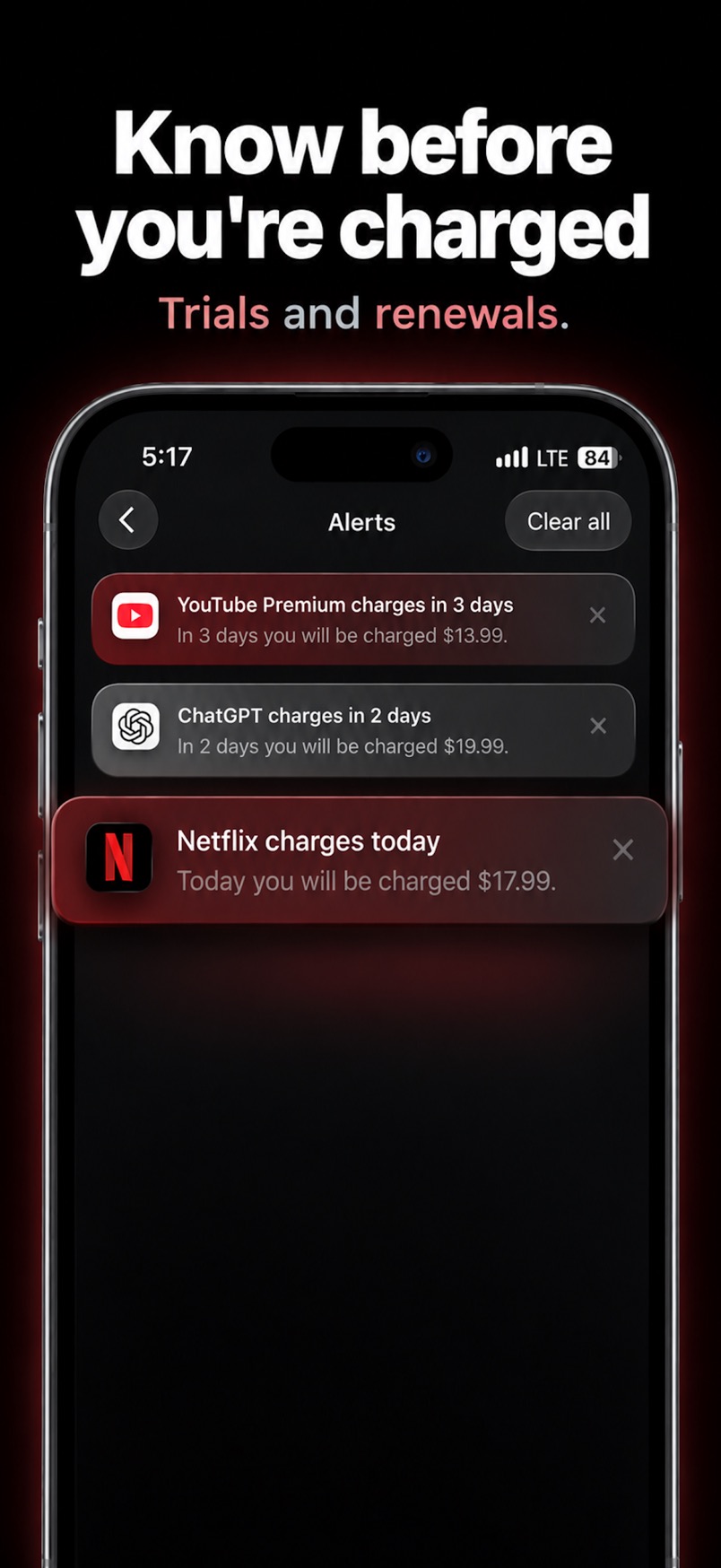
A week strip and a month calendar show app icons on charge days. Urgency labels such as “Charges today” and “X days left” show what needs attention first. A Home Screen widget can list upcoming bills without opening the app.
What kinds of bills can I be reminded about?
Any recurring payment you add. That includes streaming, music, cloud storage, and app plans, and also phone, internet, insurance, or gym fees. Billing cycles can be weekly, monthly, quarterly, yearly, or custom. If a bill is in another currency, Subry converts it into the home currency you pick so the monthly and yearly totals still add up.
Subry does not connect to your bank, does not pay the bill, and does not cancel a subscription for you. It includes How to cancel help on each subscription. You cancel in iPhone Settings or with the company that bills you. For a wider look at iPhone trackers, including apps that link a bank, see best subscription tracker for iPhone. If you also want to know what the stack costs, see how much do I spend on subscriptions a month.
Get a reminder before the charge
Download Subry on the App Store, add your bills, and choose how many days before you want the alert. Free to download. Requires iOS 26.

Frequently asked questions
How do I set bill reminders on iPhone?
In Reminders, add a reminder, set a date and time, tap Repeat, and choose a frequency such as monthly. You can add an early reminder, for example two days before. In Subry, add the bill and choose “Notify me X days before” and a time of day. If you allow notifications, Subry also reminds you on the morning of the charge.
Can I set a repeating monthly bill reminder in the Reminders app?
Yes. Apple’s guide says to turn on Date or Time, tap Repeat, then choose the frequency. You can also set an Early Reminder. Scheduled reminders can appear in the Calendar app.
Does Subry pay my bills or cancel them for me?
No. Subry reminds you and includes How to cancel help. You pay the bill yourself, and you cancel a subscription in iPhone Settings or with the company that bills you.
Can Subry remind me before a free trial becomes a paid plan?
Yes, if you mark it as a free trial and choose “Notify me X days before.” Subry does not cancel the trial for you. For App Store trials, cancel at least 24 hours before the trial ends.