Comparison
Best subscription tracker for iPhone
There is no single best subscription tracker for every iPhone. The right app depends on whether you will link a bank, how you want to add bills, and whether you care more about a long ratings history or a narrower tool. On 12 November 2026, a US App Store search for “subscription tracker” put Rocket Money first (4.47 from 407,181 ratings). Bobby is still the best-known simple list you type yourself (4.75 from 8,034). Subry is the best fit if you want no bank login, screenshot import from the iPhone Settings subscriptions page, and free-trial reminders — with an honest caveat: Subry is brand new, has 0 ratings, and requires iOS 26.
Which subscription tracker is best for you?
- You want forgotten charges found for you, and help cancelling, in a full budget app. Rocket Money. Its help center says a linked checking account is required to use the app.
- You want a simple, well-reviewed iPhone list you add yourself, with no bank login. Bobby.
- You want cancellation guides, and you are looking at what currently ranks near the top of the “subscription tracker” search. Subpilot (4.57 from 6,483). Its listing says access to the app requires a subscription.
- You want a bill organizer that also has a Mac app, and a long ratings history. Chronicle (4.83 from 3,915).
- You want no bank login, a screenshot of your Settings subscriptions list, and a reminder before a free trial charges. Subry. Treat the 0 ratings as part of the decision.
- You want a web list and email alerts, including for a small business, not a native iPhone app. TrackMySubs. It has no official native App Store app in this check.
How did we pick the apps?
This is a comparison from Subry, so the Subry section is first-hand. Everything else is taken from US App Store listings (and, where noted, an official site or help page) checked on 12 November 2026. Prices and ratings change; check each listing before you pay.
The set was chosen as follows:
- Apps that appeared near the top of the US App Store search for “subscription tracker”: Rocket Money, Subpilot, and Bobby.
- Well-known iPhone options people compare with those apps: Chronicle, and Subscriptions by Touchbits.
- Orbit, because its listing also offers screenshot import and trial alerts, which is a fair comparison for Subry.
- TrackMySubs, because it comes up often in “best tracker” comparisons. It is a web app, not an official iPhone App Store listing.
We did not include every similarly named app with a handful of ratings, or unrelated finance apps that appeared in the same search. We also did not invent prices: if an App Store page listed several in-app prices without a billing period, we quote the names and amounts as listed, and no more.
How do the main iPhone subscription trackers compare?
| App | US rating, 12 Nov 2026 | Bank login | How bills get in | Price model, as listed |
|---|---|---|---|---|
| Subry | 0 ratings | No | Screenshot of your subscriptions list, or by hand | Free to download, with IAP. US listing shows Subry Lifetime at $24.99 |
| Rocket Money | 4.47 (407,181) | Yes. Help center says a linked checking account is required | Detected from linked financial accounts | Free to download, with several Premium in-app purchases listed |
| Bobby | 4.75 (8,034) | No. You add bills yourself | By hand, from a catalog of services or a custom entry | Free to download, with one-time packs (All-in-one Pack listed at $1.99 and $2.99, plus $0.99 packs) |
| Subpilot | 4.57 (6,483) | Not described as a bank-link app in its listing | You add subscriptions; listing promotes cancellation guides for 500+ services | Free to download, but the listing says access requires a subscription. Premium and other IAPs are listed |
| Chronicle | 4.83 (3,915) | No bank login in the listing or on chronicleapp.com | You enter bills; reminders and payment history. Mac app available | Free to download. Chronicle Pro listed at $14.99; the listing describes Pro as an auto-renewing subscription |
| Subscriptions (Touchbits) | 4.68 (174) | No. Listing does not ask for a bank login | By hand, from a large selection; iCloud sync on iPhone, iPad, and Mac | Free to download, with Yearly at $2.99 and Lifetime at $8.99 listed, plus Family Sharing lifetime prices |
| Orbit | 4.71 (133) | No. Listing says data stays on the device | Screenshots, CSVs, or bank-statement files, or by hand | Free to download, with Orbit Plus Lifetime listed at $24.99 and $39.99, Orbit Plus at $12.99, and Orbit Plus Annual at $19.99 |
| TrackMySubs | No official iOS App Store listing in this check | No. You add bills on the web | By hand, with CSV import/export | Official site: free for 10 subscriptions; Unlimited $10/month or $99.99/year; Enterprise $30/month or $299.99/year |
Subry: Subscription Manager
Subry is an iPhone subscription tracker. It is free to download. It had 0 US ratings on 12 November 2026, the day this was written, and it requires iOS 26. That is a real gap next to Bobby or Rocket Money, and it should weigh in your choice.
What it does, from its App Store listing and the app itself: you add bills by hand, or you take a screenshot of a subscriptions list — for example the page at Settings → your name → Subscriptions — and Subry detects apps, prices, and renewal dates on the iPhone, flagging any item with no date. You can mark a bill as a free trial and choose “Notify me X days before” at a time of day you pick. It shows monthly and yearly totals, a calendar of charge days, How to cancel help, and a Home Screen widget. It does not log into a bank, does not create an account, and does not cancel subscriptions for you.
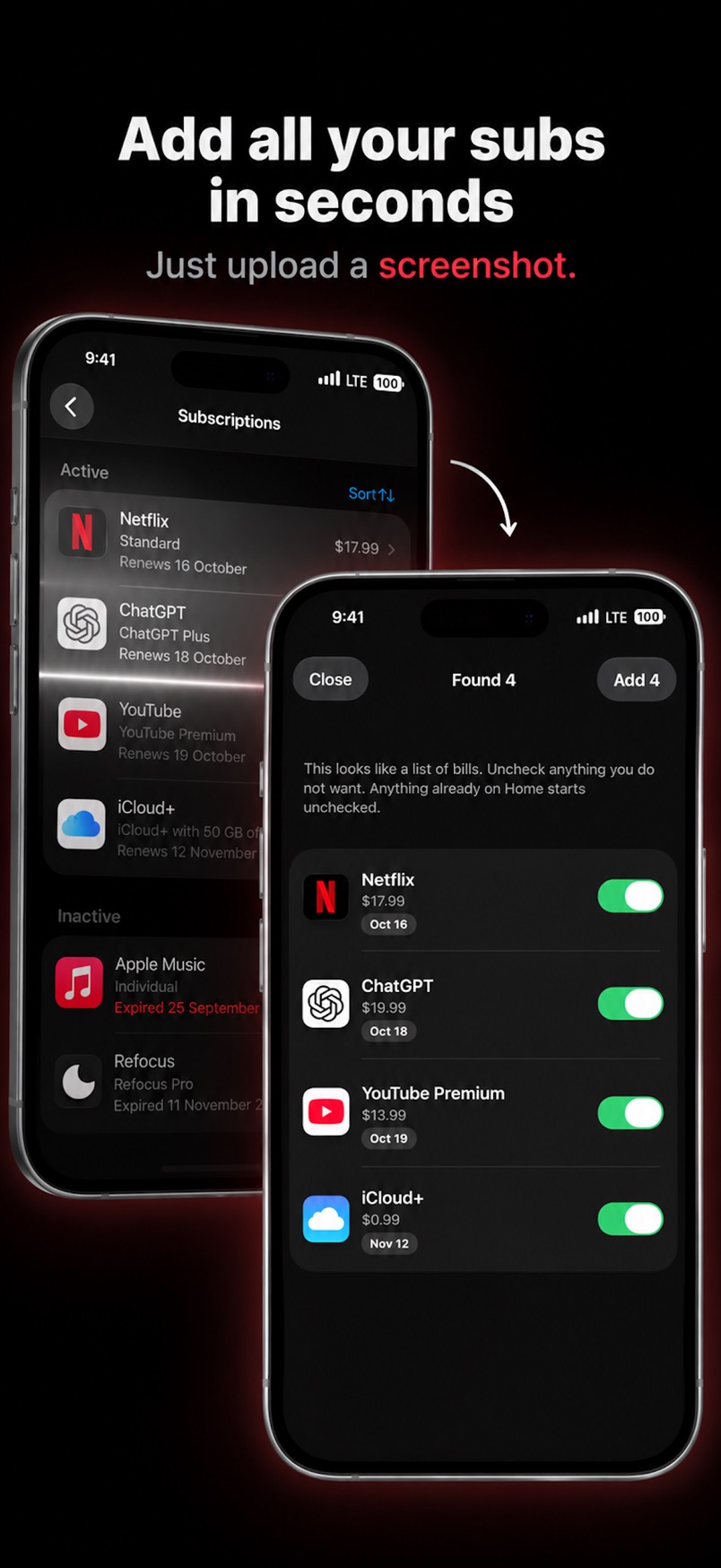
On the US App Store page, Subry Lifetime was listed at $24.99. The app’s terms also describe a yearly subscription with a free trial and a one-time yearly offer. Check the live listing for current prices.
Pros. No bank login. Fast path from Apple’s own subscriptions screen. Trial reminders you can time. Clear about not cancelling for you.
Cons. Brand new, with 0 ratings. iPhone only, and only on iOS 26 or later. You still add website-billed subscriptions yourself after the screenshot.
Rocket Money
Rocket Money - Bills & Budgets is a personal finance app, not only a subscription list. US rating: 4.47 from 407,181 ratings. It is free to download, with Premium in-app purchases listed at several price points (including $2.99, $4.99, $5.99, $6.99, $8.99, and $9.99). The listing does not label a single monthly or yearly price, so we are not inventing one.
Its App Store listing says it finds and tracks subscriptions after you link accounts, helps you cancel them in the app, and also covers budgets, bill negotiation, net worth, and credit monitoring. Rocket Money’s help center states that the app relies on at least one checking account being linked, through Plaid, and that you cannot use Rocket Money if you do not have a supported checking account.
Pros. Finds recurring charges you might forget. Can help cancel and negotiate, according to its listing. By far the largest US ratings count in this set.
Cons. A bank link is required, which many people do not want for a simple bill list. It is a broader finance product than a dedicated tracker. Premium pricing is hard to read from the store page alone.
Bobby
Bobby - Track subscriptions, from Yummygum, is a long-running iPhone tracker (first released in 2016). US rating: 4.75 from 8,034 ratings — the highest score among the large listing counts here, after Chronicle. You choose from a catalog of services or create a custom subscription, and Bobby notifies you when a bill is due. The listing does not describe a bank connection.
It is free to download. The US in-app list showed All-in-one Pack at $1.99, All-in-one Pack v2 at $2.99, and $0.99 packs for subscription limit, category limit, Security Pack, and Visual Pack.
Pros. Strong, long ratings history. Simple manual workflow. No bank login. One-time packs rather than a required subscription, as listed.
Cons. You type or pick every bill; there is no screenshot import in the listing. iPhone-focused. Unlocking features is split across several packs.
Subpilot
Subpilot - Cancel Subscription ranked just behind Rocket Money in the “subscription tracker” search. US rating: 4.57 from 6,483 ratings. The listing promises a list of subscriptions, monthly and yearly totals, analytics, and step-by-step cancellation instructions for 500+ services. It is free to download, but the same listing says: “Access to the app requires a subscription. Some content may also require additional one-time purchases.”
The US in-app list included Subpilot Premium at $9.99, $24.99, and $99.99, plus Auto Cancellation packs, a Free Trial Detector, and Concierge Pro. The store page does not spell out the billing period for each Premium price, so we are not assigning one.
Pros. High visibility for this search, a large ratings count, and cancellation guides in the listing.
Cons. The listing says you need a subscription to use the app. Extra paid items sit on top of that. It is newer than Bobby or Chronicle.
Chronicle
Chronicle - Bill Organizer, from LittleFin, is a bill manager for iPhone and iPad, with a Mac version. US rating: 4.83 from 3,915 ratings. You enter bills; Chronicle reminds you to pay them and keeps payment history. chronicleapp.com says you can use it with no data shared or collected, and that Chronicle Cloud sync is optional and encrypted. There is no bank-login requirement in the listing or on that site.
It is free to download. The US store listed Chronicle Pro at $14.99. The listing describes Pro as an auto-renewing subscription that unlocks a forecast view, an amount-to-save calculator for irregular bills, estimated amounts for variable bills, and cloud sync. Confirm the billing period on the App Store before you buy.
Pros. Highest US rating in this set among apps with thousands of reviews. iPhone, iPad, and Mac. Built around reminders and payment history, not a bank feed.
Cons. It is a bill organizer you fill in, not an automatic finder of forgotten App Store trials. Pro is described as a recurring subscription.
Subscriptions (Touchbits)
Subscriptions - Track Expenses is a SwiftUI app for iPhone, iPad, and Mac. US rating: 4.68 from 174 ratings. You add subscriptions from a large selection, organize them with categories and tags, and get payment and expiration reminders, widgets, and iCloud sync. The listing says the free version includes unlimited subscriptions, unlimited categories, iCloud sync, and analytics. Pro adds things such as Face ID or passcode lock, CSV export, and price history for trials and price changes.
US in-app prices listed: Yearly $2.99, Lifetime $8.99, and Lifetime - Family Sharing at $12.99 and $19.99.
Pros. Works across iPhone, iPad, and Mac. The listing says the free tier already allows unlimited subscriptions. No bank login.
Cons. Far fewer ratings than Bobby, Chronicle, or Rocket Money. You add bills yourself.
Orbit
Subscription Manager: Orbit is an iPhone tracker whose listing advertises screenshot, CSV, and bank-statement file import, trial-end alerts, a renewal calendar, and on-device storage. US rating: 4.71 from 133 ratings. Apple has featured it, according to the listing. It does not describe a bank login; it says everything stays on the device. “Bank statements” here are files you import, not a live bank connection.
The listing text describes Orbit Plus as a one-time purchase. The US in-app list showed Orbit Plus at $12.99, Orbit Plus Lifetime at $24.99 and $39.99, and Orbit Plus Annual at $19.99. Because both a lifetime and an annual product appear, check the listing for what you are actually buying.
Pros. Screenshot import and trial alerts, like Subry, with a modest ratings history already. Privacy-first wording in the listing.
Cons. Fewer ratings than the older apps. The Plus price list is mixed (lifetime and annual). Requires iOS 17 or later, per the listing.
TrackMySubs (web, not a native iPhone app)
TrackMySubs is a web subscription tracker at trackmysubs.com, aimed in part at small businesses and client work. Its site lists compatibility with Mac, Windows, iOS, and Android, meaning the browser, and describes email alerts, a 12-month calendar, folders and tags, CSV import/export, and Zapier. In this November 2026 App Store check, there was no official native iPhone app from TrackMySubs. Other listings with similar names (for example “Track My Subs” or “TrackMySub”) are from different developers and should not be confused with this product.
Official pricing on trackmysubs.com/pricing on 12 November 2026: a free plan for 10 subscriptions with no credit card; Unlimited at $10 a month or $99.99 a year; Enterprise at $30 a month or $299.99 a year.
Pros. Email alerts to more than one recipient, CSV, and a web list you can open on a computer.
Cons. Not a native iPhone App Store app, so no widgets or iOS notifications from a store listing. It is a better fit for a spreadsheet-style or business list than for Apple Settings screenshot import.
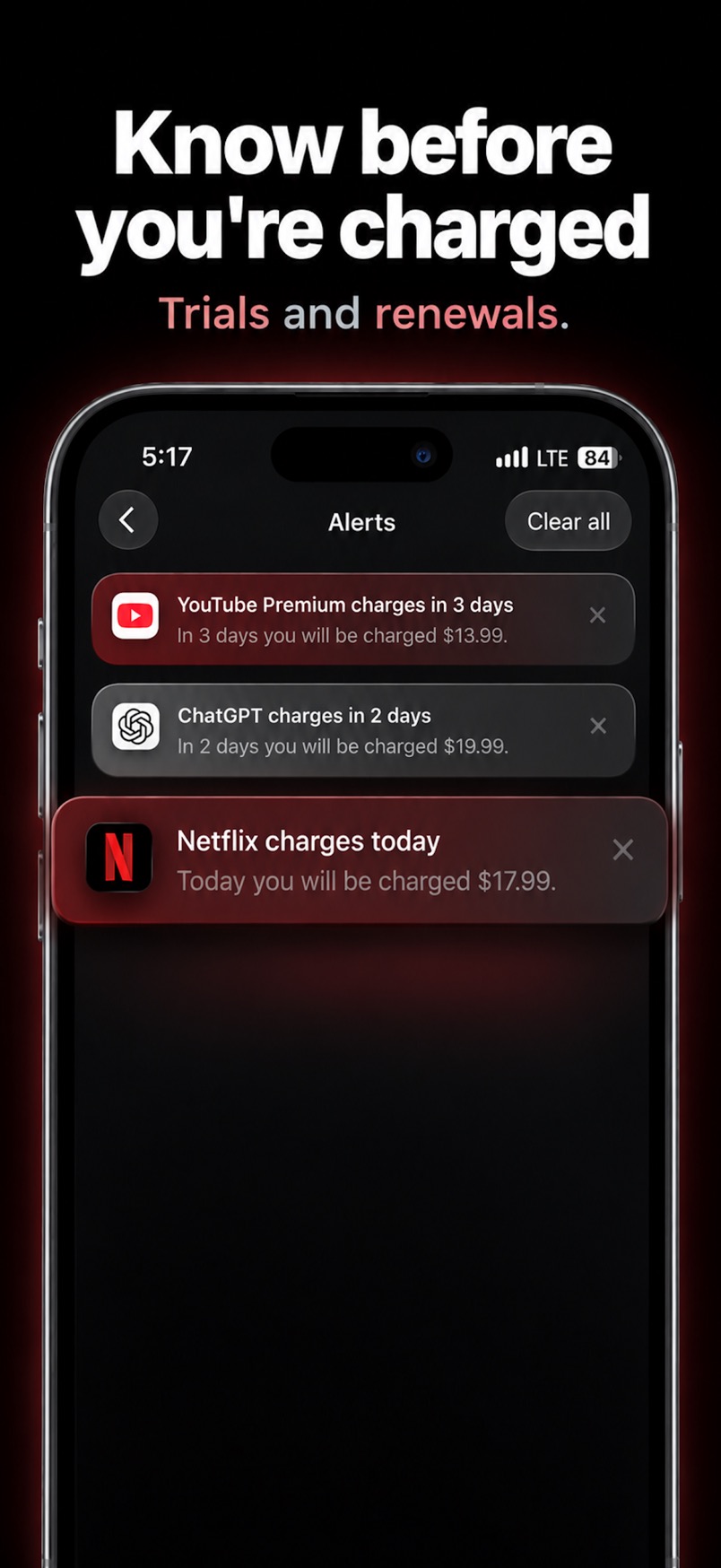
Try Subry on iPhone
Import a screenshot of your subscriptions, mark the trials, and get a reminder before the charge. No bank login. Free to download. Requires iOS 26. It is new, and it has 0 ratings so far.

Frequently asked questions
What is the best subscription tracker app for iPhone?
Pick by job. Rocket Money if you will link a bank and want charges found and cancellation help. Bobby if you want a simple, highly rated list you keep yourself. Subry if you want screenshot import, trial reminders, and no bank login — knowing it is new, unrated, and needs iOS 26.
Do I have to link a bank account?
No, except for Rocket Money, whose help center says a linked checking account is required. The other iPhone apps in this comparison do not require a bank login in their listings. For how to see Apple’s own list first, see how to find all your subscriptions on iPhone.
Which app is best for cancelling a free trial before it charges?
You still cancel an App Store trial in Settings, at least 24 hours before it ends, per Apple Support. Subry and Orbit advertise reminders before a trial becomes paid. Subry does not cancel it for you. Step-by-step: how to cancel a free trial on iPhone.
Is there an official TrackMySubs iPhone app?
Not in this US App Store check. Use trackmysubs.com in a browser. Ignore similarly named apps from other developers unless you mean those specifically.
Is Subry free?
Free to download. Full access is an in-app purchase. The US listing on 12 November 2026 showed Subry Lifetime at $24.99. The terms also mention a yearly plan with a free trial and a one-time yearly offer. Check the App Store for what is offered in your country today.