Guide
How to get a refund for a subscription on iPhone
If an App Store subscription or free trial charged you and you did not want it, request a refund from Apple at reportaproblem.apple.com. Sign in, choose “I’d like to”, then “Request a refund”, pick a reason, select the subscription and submit. Apple says you should get an update within 24 to 48 hours, and a refund is not guaranteed. Then cancel the subscription in Settings → your name → Subscriptions so it does not charge you again. For subscriptions billed by another company, you ask that company, not Apple.
Step 1: Request the refund from Apple
These are the steps from Apple’s refund guide. You can do them in Safari on your iPhone:
- Go to reportaproblem.apple.com and sign in with the Apple Account that was charged.
- Tap “I’d like to”, then choose “Request a refund”.
- Choose the reason you want a refund, then tap Next.
- Choose the subscription, then tap Submit.
Apple says some purchases from the App Store and other Apple services might be eligible for a refund. That wording matters: you are asking, and Apple decides. Eligibility can also vary by country or region, and in places with consumer protection laws you keep your rights under those laws.
Pick the reason that is true. A trial you forgot to cancel, a renewal you did not expect and a purchase you did not make are different situations, and a clear, honest reason gives Apple what it needs to review the request.
Step 2: Cancel the subscription so it does not renew
A refund request does not stop the subscription. Apple’s refund guide points out that if you were charged for a subscription you no longer want, you can also cancel it. On iPhone, Apple’s cancel steps are:
- Open Settings and tap your name.
- Tap Subscriptions.
- Tap the subscription.
- Tap Cancel Subscription. You might need to scroll down. If there is no Cancel button, or you see an expiration message in red text, it is already canceled.
Do this the same day you request the refund, so you are not charged again while you wait.
Step 3: Wait for Apple’s answer
Apple says to wait 24 to 48 hours for an update, and Apple’s guide links to a page where you can check the status of the request. If Apple approves it, it can take additional time for the money to reach your payment method, depending on your bank or card.
What if you cannot find the charge?
Apple’s guide lists the usual reasons a charge does not show up on reportaproblem.apple.com:
- A different Apple Account was used. Search your email for “receipt from Apple” or “invoice from Apple”, find the receipt with the right amount and see which account it names. Sign in with that account instead.
- A family member bought it. If you are the Family Sharing organizer, tap the Apple Account button on the site and choose All to see purchases charged to your shared payment method.
- The charge is still pending. You cannot request a refund until it goes through and you get an email receipt.
- There is an unpaid order. Apple says you need to pay it before you can request a refund.
- It was not billed by Apple. In some countries and regions, digital purchases might not be made through Apple. If there is no Apple receipt at all, check your bank or card statement for the company name.
For refunds you cannot request on the site, Apple says to contact Apple Support.
How to get a refund for a subscription not billed by Apple
Many subscriptions are paid on the company’s own website with a card: streaming services, gyms, newspapers, software and phone plans. Apple cannot refund those. Go to the company’s account or billing page, cancel first, then contact its support and ask about a refund for the latest charge. Each company sets its own refund policy, so read it before you write. If you believe a charge is wrong and the company does not help, your bank or card issuer can explain your options.
Not sure which subscriptions you even have, or who bills them? How to find all your subscriptions on iPhone walks through Settings, email receipts and statements.
How to avoid needing a refund next time
The easiest refund is the one you never have to ask for. Most surprise charges come from two things: a free trial that turned into a paid plan, and a yearly renewal you forgot about. Apple says to cancel a trial at least 24 hours before it ends. That only works if you remember the date.
Subry is an iPhone subscription tracker built for that moment:
- Import your subscriptions from a screenshot of the Settings subscriptions page. Subry detects apps, prices and renewal dates on the iPhone. Add other bills by hand.
- Mark a subscription as a free trial and choose “Notify me X days before” at a time you pick, so you can cancel before the first charge.
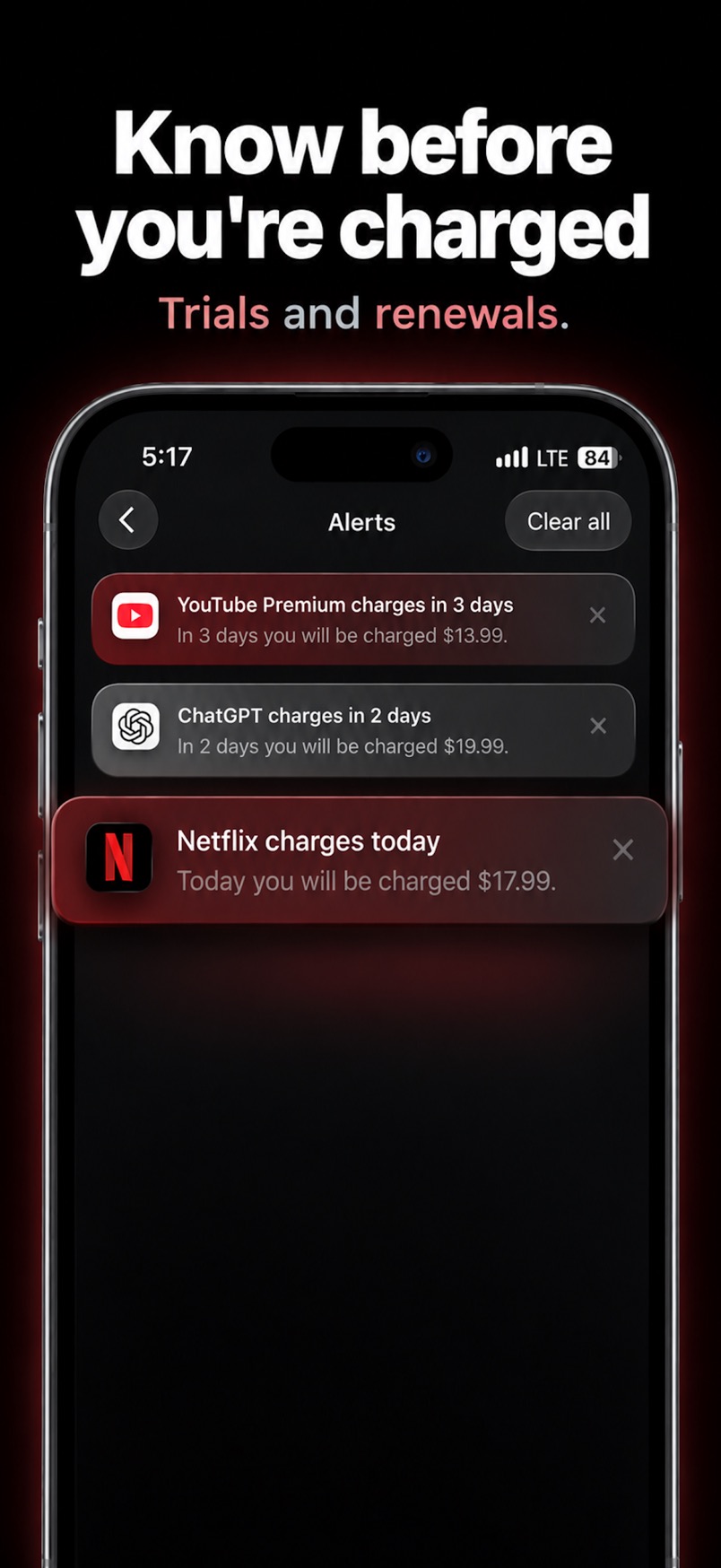
- Get a reminder before every renewal, and see upcoming charges on a calendar and a Home Screen widget.
- Each subscription includes How to cancel help. Subry does not cancel for you, and it never asks for a bank login.
For the trial steps in detail, see how to cancel a free trial on iPhone before you're charged.
Cancel in time instead of asking for a refund
Download Subry on the App Store, add your subscriptions from a screenshot or by hand, and get a reminder before trials and renewals charge. It does not cancel for you. Free to download. Requires iOS 26.

Frequently asked questions
Can I get a refund for an App Store subscription?
You can ask. Sign in at reportaproblem.apple.com, choose I'd like to, then Request a refund, pick a reason and the subscription, and submit. Apple says some purchases might be eligible, and eligibility can vary by country or region.
How long does an Apple subscription refund take?
Apple says to wait 24 to 48 hours for an update on your request. If it is approved, it can take additional time for the money to return to your payment method.
Does requesting a refund cancel my subscription?
No. Cancel it separately in Settings, then your name, then Subscriptions, then Cancel Subscription, so you are not charged again.
Why can't I find a subscription charge on reportaproblem.apple.com?
It may have been made with another Apple Account, by a Family Sharing member, still be pending, or not have been billed by Apple. Search your email for receipt from Apple to see which account was charged.